PulseCanvas Studio

Get PulseCanvas for iPhone and iPad.

Explore native Metal visualizers, arrange scenes in Studio, listen with Radio, and export music videos up to 4K60. Free on iOS 18 and iPadOS 18 or later. Install directly from the App Store.

Download on the App Store
PulseCanvas Studio · Creators Edition

Your full visual world.
On your Mac.

Install Creators Edition for over 100 native visualizers and 7,000+ community effects powered by projectM. Explore MilkDrop presets, arrange them to your song, and export your visual world.

  • Completely free
  • Apple silicon
  • macOS 14 or later
Compare the two editions

Free software.
Supported by people.

At Protomota Software, we believe software should be free. That’s why we’re giving our apps away with every feature included. This includes PulseCanvas Studio. If you enjoy this app and find it useful, consider buying me a coffee. Your support helps keep the app running and lets us keep building. Thank you.

Buy me a coffee

Tips are entirely optional. Every feature and export stays free.

Download the installer

Download the Mac disk image, then follow the steps below.

Creators Edition for Mac

macOS disk image (.dmg)

No accounts. No subscriptions. Every export is free.

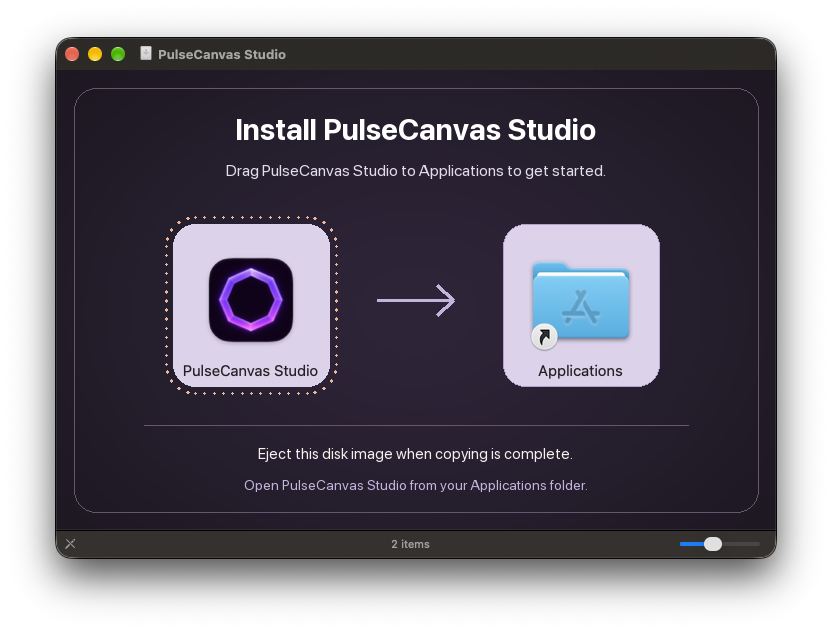
  1. Open the disk image.
    Drag into Applications.

    Find the downloaded .dmg in your Downloads folder and double-click it. In the installer window, drag PulseCanvas Studio onto the Applications folder.

    PulseCanvas Studio installer window, showing the app icon, Applications shortcut, and instructions to drag the app into Applications
    Drag the app icon onto Applications.
  2. Open it.
    Press play.

    Open Finder → Applications → PulseCanvas Studio. If macOS asks you to confirm opening the downloaded app, choose Open.

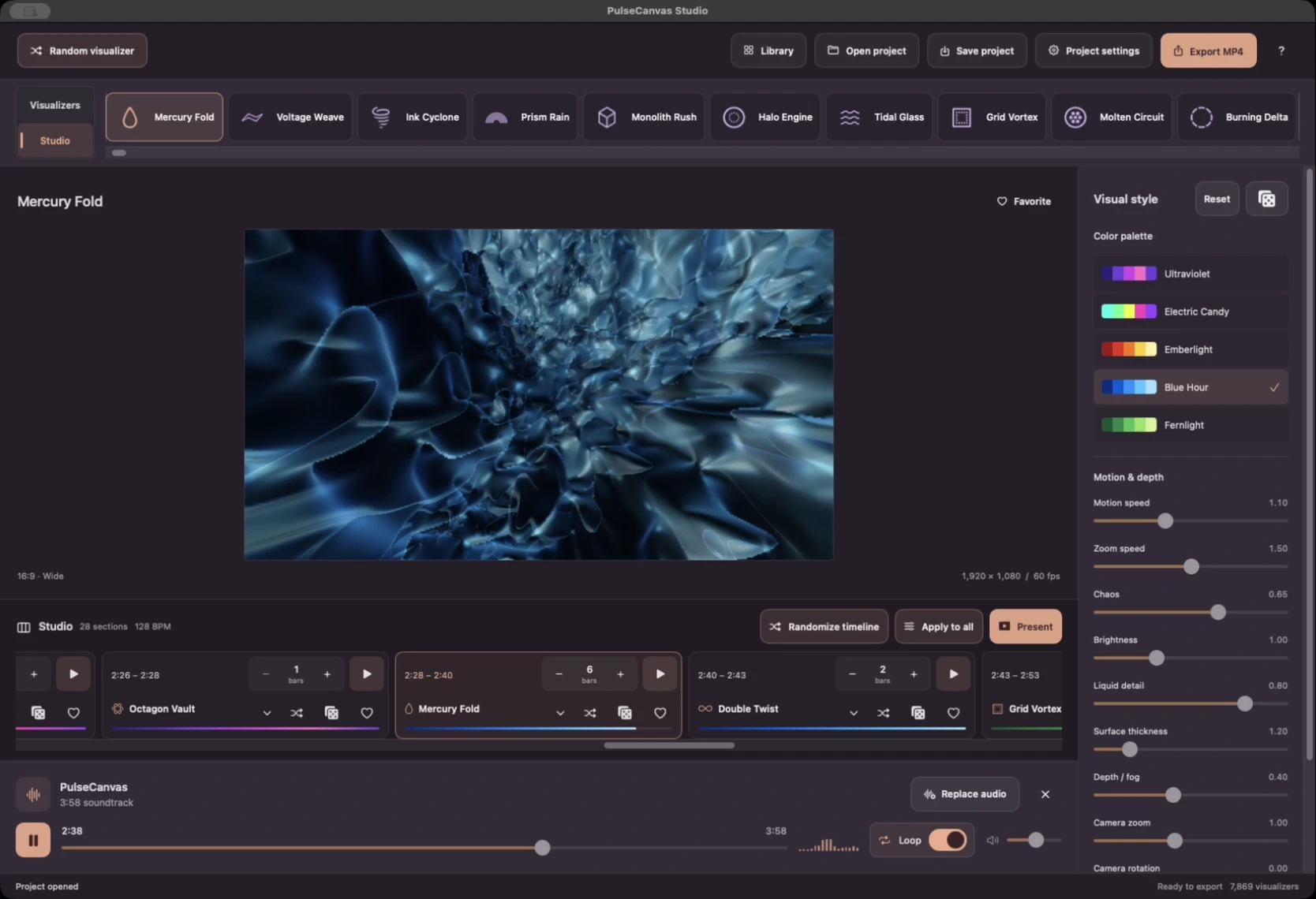
    Play the bundled demo song, or import your own soundtrack. Explore the effects, arrange your scenes in Studio, and export your music video.

    Watch the walkthrough
    PulseCanvas Studio with a visualizer preview, appearance controls, and scene sequence
    Your music, your visuals, your Studio.

You’re ready to create.

Find a look. Follow your song. Make something that feels like you.

Make your first visual video

Two editions.
One creative studio.

Over 100 native visualizers in both. Add 7,000+ community effects with Creators Edition. Both are free.

From this website

Creators Edition

Over 100 native Metal visualizers, plus 7,000+ MilkDrop community effects powered by projectM. Find a different visual world for every track.

  • 7,000+ projectM / MilkDrop community effects
  • Over 100 native Metal visualizers
  • Studio sequences and saved visual styles
  • MP4 export with audio, up to 4K and 60 fps
Get Creators Edition

Free. Every video. Every export.

From Apple

Mac App Store edition

Over 100 native Metal visualizers, with the same tools for arranging your song and exporting a finished video.

  • Over 100 native Metal visualizers
  • Studio sequences and saved visual styles
  • MP4 export with audio, up to 4K and 60 fps
Download on the Mac App Store

Additional OpenGL effects are in Creators Edition.

Inside Creators Edition

7,000+ ways to
follow your sound.

Liquid motion. Fractals. Dancing waveforms. Hypnotic geometry. Explore a community-built world of effects, find the ones that fit your track, and bring them into your Studio sequence.

Explore Creators Edition

The full library. Every export. Free.

projectM
The music visualization engine that brings the additional OpenGL effects to life in Creators Edition.
MilkDrop presets
The community-authored visual designs played by projectM. Each preset offers a different way to turn music into motion.
Cream of the Crop
A curated MilkDrop collection by ISOSCELES. Creators Edition draws its 7,000+ community effects from this collection.

The preset library includes credits to creators such as Geiss, Rovastar, Flexi, Martin, and Unchained, including collaborative remixes and mashups.

Use Creators Edition to open projects with OpenGL effects. Projects using only native visuals work in both editions.

Prefer the Mac App Store?

Explore over 100 native Metal visualizers, with free Studio tools and exports. For the additional 7,000+ projectM / MilkDrop effects, choose Creators Edition above.

Download on the Mac App Store

New in 1.2

Get started with five full-screen onboarding pages covering music, visualizers, Studio and sharing. Revisit them any time in Settings → Welcome to PulseCanvas Studio. Includes transparent illustrations, optional support links and the latest Studio and Radio improvements.

Source & release details

Application code is source available. Third-party components and effects retain their own licenses and notices.

Browse the source on GitHub

Made for music. Fueled by coffee.

Enjoying PulseCanvas? A coffee is a small way to support the developer behind it.

Tips are optional. Every feature and export stays free.

Buy me a coffee